Chat Counts, Messages, Characters
AI Bot Kit tracks all key usage statistics for your chatbot. These metrics help you measure engagement, monitor limits, and optimize performance.
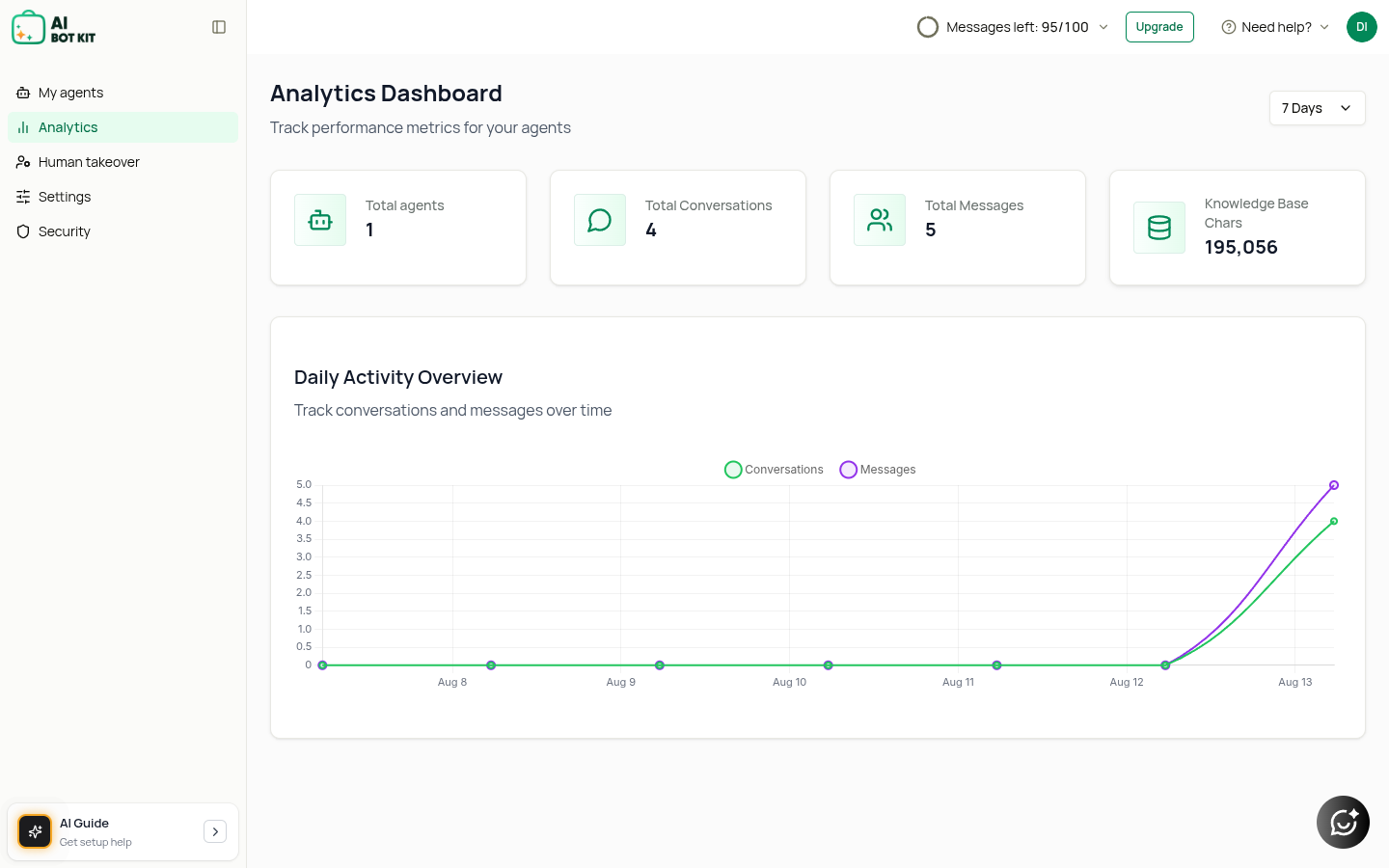
1. Chat Counts
- Definition: The total number of individual chat sessions started with your bot.
- Why It Matters:
- Shows how many people are actively engaging with your chatbot.
- Helps you compare activity trends over time (daily, weekly, monthly).
- Tip: If you notice a high number of chats but low conversions, refine your bot’s greeting message and fallback responses.
2. Messages
- Definition: The total number of messages exchanged between users and your chatbot.
- Why It Matters:
- More messages usually mean deeper engagement.
- Sudden spikes may indicate customers are seeking more detailed support.
- Plan Limits: Each AI reply uses message credits from your plan: 100 one-time credits on Free Full Access, 2,000 a month on Essential and 6,000 a month on Business. With the standard AI, one reply uses 1 credit; advanced models use more. At 100%, your chatbot stops replying, so keep an eye on your credits. See Message Credits & AI Models.
3. Storage Characters
- Definition: The number of characters (text data) stored in your chatbot’s knowledge base.
- Why It Matters:
- Each plan comes with a maximum storage allocation, shared by all chatbots in your account (1M in Free Full Access, 20M in Essential, 30M in Business). One web page is about 2,500 characters, so 20M holds about 8,000 pages.
- Storage is used for web pages, files, text and Q&A you train your bot with.
- Tip:
- Keep your knowledge base clean — remove outdated or irrelevant content.
- Need more room? On Essential and Business, add 5M characters with an add-on.
Example Use Case
- A company starts with 50 chats and 200 messages in the first week.
- The storage shows 2M characters used out of 20M (Essential plan).
- Insight: The bot is being used actively, but plenty of space remains to add more FAQs or product documents.
⚡ Quick Recap:
- Chat Counts = How many conversations started.
- Messages = Total exchanges during those chats.
- Storage Characters = Size of your training data.
Monitoring these together gives you a complete picture of chatbot usage and when to scale up.