Help Center
Getting Help and Support
Need Help?
At the top right of your AI Botkit dashboard, you'll find a "Need Help?" button. Click it to access multiple support options that can help you get the most out of your chatbot.
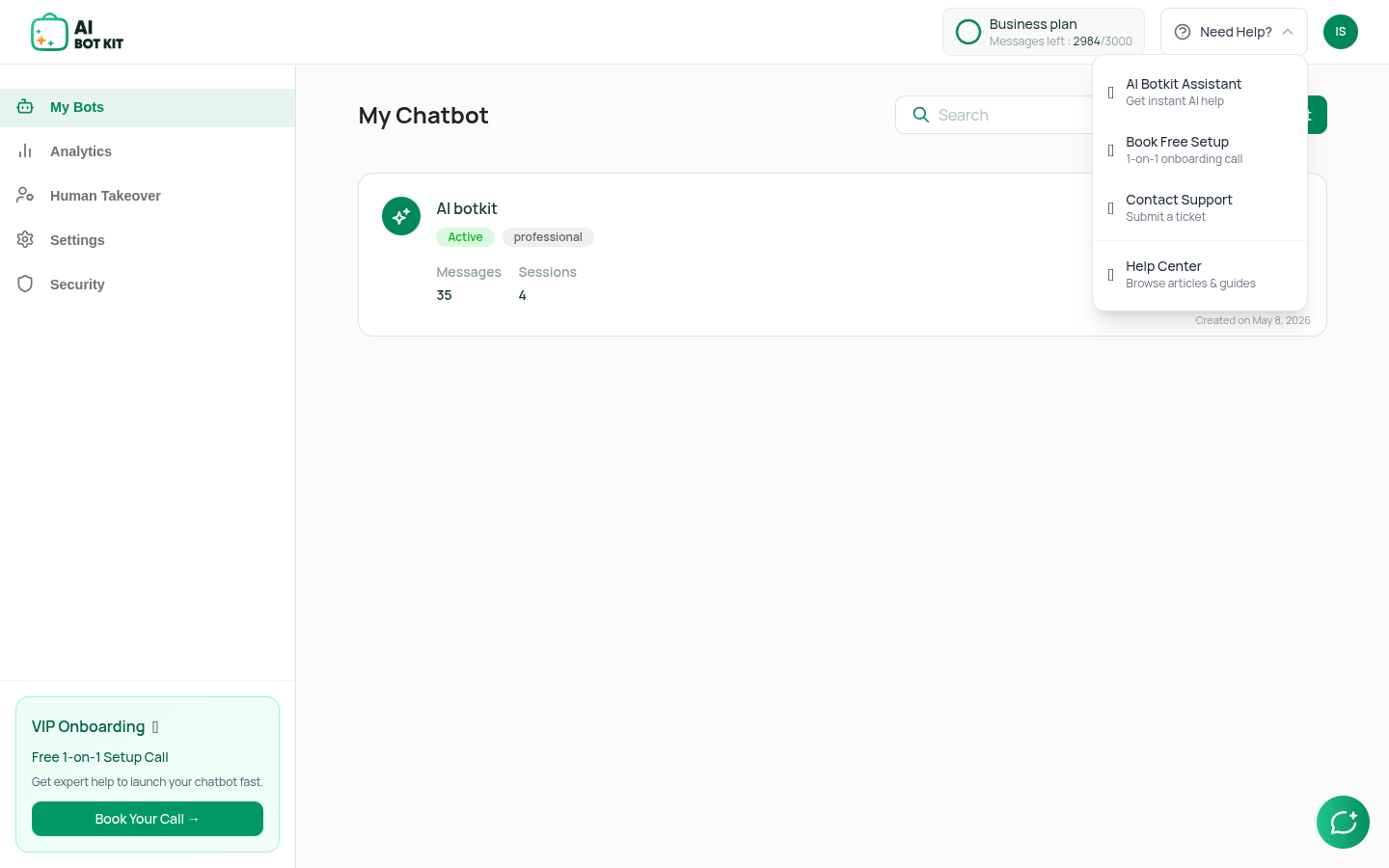
Available Help Options
1. AI Botkit Assistant 🤖
- What it is: An instant AI-powered assistant built right into your dashboard
- How to use: Click "AI Botkit Assistant" from the dropdown menu
- What it does: Opens a chat widget where you can ask questions and get instant answers about using AI Botkit
- Best for: Chatbot Setup Help, feature explanations, troubleshooting tips
- When to use: When you need immediate help without waiting for a response
2. Book Free Setup 🎁
- What it is: A free 1-on-1 onboarding call with our expert team
- How to use: Click "Book Free Setup" from the dropdown menu
- What it does: Opens a calendar where you can schedule a 30-minute call with our support team
- What you'll get:
- Personalized setup assistance
- Expert guidance on configuring your chatbot
- Tips and best practices tailored to your needs
- Help launching your chatbot quickly
- Best for: New users who want hands-on help getting started
- When to use: When you want personalized guidance or have complex setup questions
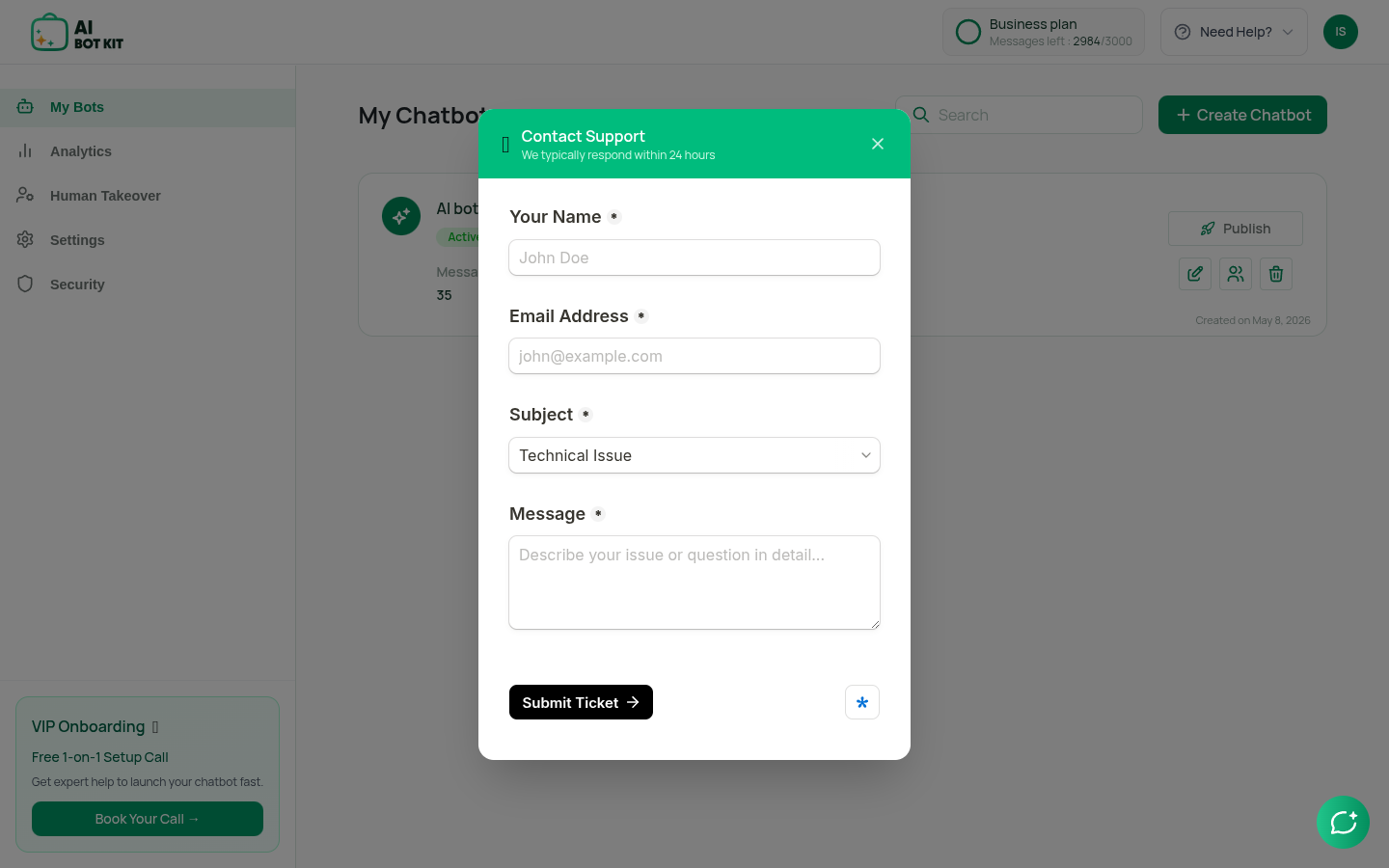
3. Contact Support 📧
- What it is: A support ticket system for submitting questions or reporting issues
- How to use: Click "Contact Support" from the dropdown menu
- What it does: Opens a contact form where you can submit your question or issue
- What to include:
- Your name and email
- A clear subject line
- Detailed description of your question or issue
- Best for: Specific questions, bug reports, feature requests
- When to use: When you need detailed help or want to report a problem
4. Help Center 📚
- What it is: Comprehensive documentation and guides
- How to use: Click "Help Center" from the dropdown menu
- What it does: Opens our documentation site with articles, guides, and tutorials
- What you'll find:
- Step-by-step guides for all features
- Troubleshooting articles
- Best practices and tips
- FAQ section
- Best for: Learning how to use features, finding answers to common questions
- When to use: When you want to learn independently or need detailed instructions
VIP Onboarding - Free Setup Call
In the sidebar of your dashboard, you'll see a special "VIP Onboarding" section at the bottom. This is your gateway to getting expert help launching your chatbot.
VIP Onboarding is a free 1-on-1 setup call where our expert team helps you:
What Happens During the Call?
During your free setup call, our team will:
- Understand Your Needs: Learn about your business and what you want your chatbot to do
- Configure Your Chatbot: Help you set up all the settings, features, and integrations
- Test Everything: Make sure your chatbot works perfectly before launch
- Answer Questions: Address any questions you have about features or best practices
- Provide Tips: Share expert advice on getting the best results from your chatbot
Who Should Book a VIP Onboarding Call?
- New Users: If you're just getting started and want expert guidance
- Complex Setups: If you have multiple integrations or complex requirements
- Troubleshooting: If you're stuck on something and need immediate help
Benefits of VIP Onboarding
- Avoid Mistakes: Learn best practices from the start
- Personalized Help: Get advice tailored to your specific needs
- Ongoing Support: Build a relationship with our support team
Remember: All support options are designed to help you succeed. Don't hesitate to reach out - we're here to help you build amazing chatbots!